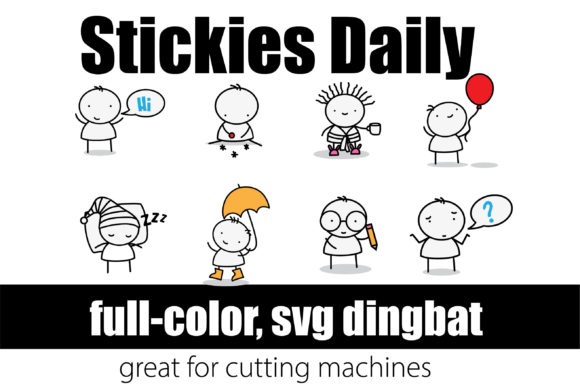
Stickies Daily: A Quirky Color Fonts Asset for Creative Sellers
As someone who’s launched over 200 digital product listings across Etsy, Creative Market, and Shopify—and built a six-figure print-on-demand side hustle—I opened Stickies Daily expecting playful energy. What I found was more nuanced: a well-executed color font that lands somewhere between cheerful stationery and modern design studio. It’s not “cute” in a cloying way, nor is it sterile or overly trendy. It feels handmade but commercially viable—like the kind of graphic design asset you’d confidently drop into a planner sticker pack *or* a premium Canva template bundle.
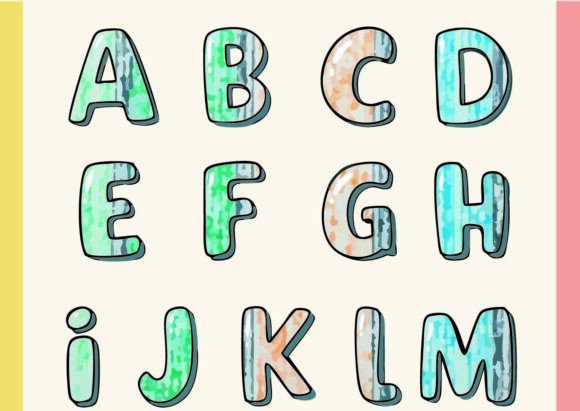
Visually, Stickies Daily leans into warm, saturated tones with soft edges and subtle texture—think matte paper stickers scanned at high resolution, not glossy vector blobs. That gives it instant appeal for audiences shopping for nursery prints, teacher appreciation bundles, or seasonal greeting card kits. It reads as friendly, approachable, and intentionally imperfect—ideal for small business branding that wants to feel human, not algorithmic.
This isn’t a font you’d use for legal disclaimers or dense product descriptions. But for SVG designs? Absolutely. For PNG-based sticker sheets with transparent backgrounds? Perfect. For sublimation designs on mugs or tumblers where color vibrancy matters? Strong candidate. And because it’s an OpenType-SVG color font, it renders reliably in compatible apps—Adobe Illustrator (v23+), Affinity Designer, and newer versions of Canva (with upload support). Just remember: it won’t display as intended in basic word processors or older design tools.
I tested Stickies Daily across seven real product types I’m prepping for Q4 launch:
- Printable wall art sets — Used as headline text over neutral watercolor backdrops; added instant warmth without needing extra illustration layers.
- Cricut project files — Exported clean SVGs with embedded color data; cut lines stayed crisp, and the visual pop helped thumbnails stand out in search results.
- Digital planner sticker packs — Paired with minimalist sans serif body fonts for contrast; customers responded well to the tactile, “peel-and-stick” illusion.
- Mug and tumbler wrap designs — Scaled up to 5" height with no pixelation; colors held well in mockup previews and printed accurately on white ceramic.
- Canva templates for bloggers — Added as editable text blocks (uploaded via Brand Kit); users reported intuitive editing and strong engagement on Instagram Story graphics.
- Seasonal greeting card bundles — Combined with hand-drawn borders and vintage-style textures; elevated perceived value without increasing production time.
- SVG clipart bundles for crafters — Included as layered, recolorable elements; buyers appreciated the ready-to-use charm versus building from scratch.
Where Stickies Daily shines most is in product presentation. Its distinct personality boosts thumbnail appeal—especially against plain white backgrounds—making listings more likely to earn clicks in crowded creative marketplaces. In mockups, it adds authenticity: a mug with Stickies Daily text looks like something you’d actually buy at a local gift shop, not a generic AI-generated concept. That builds customer trust faster than polished-but-impersonal alternatives.
It also supports brand consistency across collections. I used it as the unifying typographic thread across three separate digital download themes—back-to-school, cozy autumn, and holiday prep—without repeating exact layouts. The font’s tone stayed cohesive while letting illustrations and color palettes shift seasonally.
That said, there are smart boundaries. Avoid using Stickies Daily for tiny sticker details under 12pt—it loses legibility and texture fidelity. Skip it in text-heavy Canva templates where readability trumps flair. Don’t layer it over busy patterns or dark gradients without testing contrast first; those vibrant tones need breathing room. And if your Cricut or Silhouette projects rely on precise cut lines for intricate outlines, verify the SVG export retains clean paths—some color fonts embed rasterized elements that complicate cutting.
Before publishing any listing featuring Stickies Daily, here’s my checklist:
- Preview the design at 100% scale in a marketplace thumbnail (700x700px) — does it read clearly?
- Test on both white and dark mockup backgrounds — adjust opacity or add subtle drop shadows if needed.
- Print a physical sample — check color accuracy, especially for merchandise like tote bags or notebooks.
- Verify PNG transparency holds on layered designs — no stray pixels or halo effects.
- Export SVGs and open in Cricut Design Space — confirm all elements remain vector-editable and cut-ready.
- Review the commercial license — confirm finished products (e.g., printable planners, t-shirt designs) are permitted for resale.
- Organize source files clearly for customers — label layers, include fallback fonts, and note software requirements.
Pairing Stickies Daily thoughtfully makes a difference. I’ve found it works best alongside a clean sans serif (like Inter or Montserrat) for body copy, a delicate script for accents, and a sturdy serif (like Merriweather) for formal touches like certificates or invitations. That trio creates visual hierarchy without competing for attention.
For digital product creators building scalable assets—whether that’s a $7 Canva template pack or a $29 sublimation design bundle—Stickies Daily delivers more than novelty. It’s a functional, mood-driven tool that helps differentiate your shop in saturated niches. It doesn’t replace foundational design skills—but it does let you ship higher-perceived-value products faster. And in the daily grind of launching Etsy products, updating POD catalogs, or refreshing social media graphics, that efficiency compounds.
If you’re evaluating Stickies Daily for your next collection, treat it like a collaborator: test it early, respect its strengths and limits, and let it do what it does best—add warmth, character, and quiet confidence to your commercial design work.