Andrea: A Vibrant Color Font for Creative Sellers
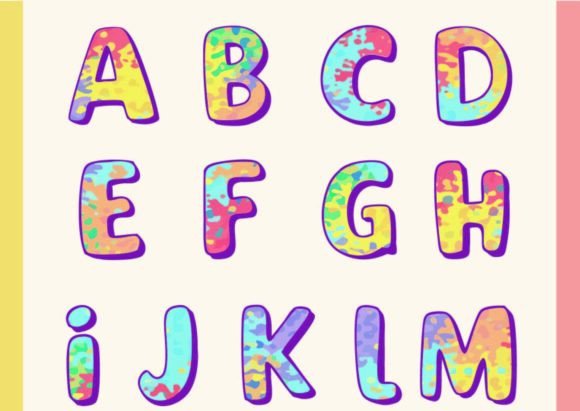
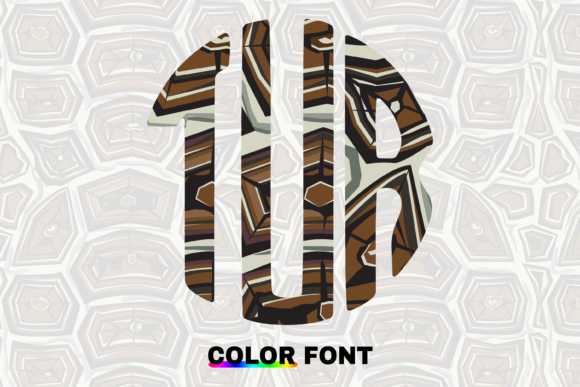
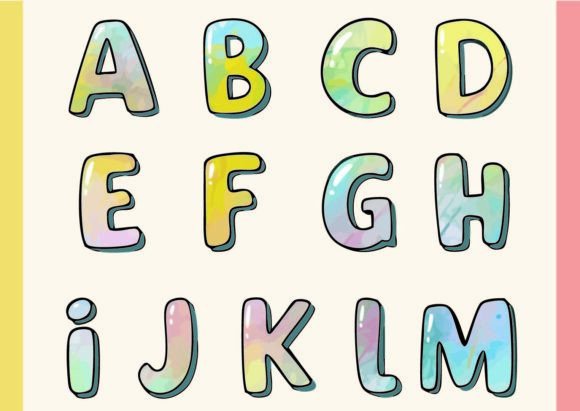
As someone who’s launched over 200 digital product listings across Etsy, Creative Fabrica, and Shopify — from printable planners to sublimation-ready SVG bundles — I opened Andrea with cautious optimism. It’s not just another decorative font. Andrea is a color font, meaning every letter, number, and symbol renders with built-in, multi-layered color fills — no manual recoloring needed. Each glyph is a self-contained composition: think gradients, subtle shadows, overlapping shapes, and intentional texture. It’s not chaotic; it’s curated complexity. The first impression? Joyful, confident, and unmistakably modern — but not trendy in a fleeting way. It leans feminine without being saccharine, playful without sacrificing polish. Think spring collections, boutique branding, baby shower invites, or wellness-themed Canva templates.
Who’s This Font Really For?
Andrea speaks directly to sellers building cohesive, emotionally resonant product lines — especially those targeting mindful consumers, new parents, small-batch makers, or lifestyle-focused audiences. It’s not ideal for corporate reports or minimalist tech branding. But for a nursery print shop? Perfect. For a seasonal sticker bundle themed around “sunshine & slow mornings”? Strong fit. For a set of editable greeting card templates on Etsy? Yes — especially if your audience values warmth and visual delight over stark minimalism.
Real-World Product Testing Before Listing
I tested Andrea across six high-performing product categories before finalizing any listing:
- SVG + PNG bundles: Exported clean vector layers and high-res transparent PNGs. Andrea held up beautifully at 300 DPI — no pixelation, no fuzzy edges. Ideal for Cricut users needing crisp cut lines (though more on that below).
- Printable wall art: Used Andrea in a 16x20” quote poster. The color depth translated well to matte paper prints — richer than expected, with no banding.
- Canva templates: Dropped the font into editable invitation and social media post templates. Buyers can swap text while preserving full color integrity — a huge time-saver for non-designers.
- Tote bag & mug designs: Paired Andrea with neutral sans-serif body text in mockups. The contrast made the headline pop without overwhelming the product shape.
- Digital paper packs: Created patterned backgrounds using repeated Andrea glyphs as motifs — added instant personality to scrapbooking kits.
- Seasonal bundles: Bundled Andrea-based “Spring Bloom” stickers with coordinating floral clipart. The font became the unifying visual thread across 12+ assets.
Where Andrea Elevates Your Product Presentation
This isn’t just about aesthetics — it’s about perceived value and conversion. Andrea improves thumbnail appeal instantly. On Etsy or Creative Fabrica, where shoppers scroll fast, a colorful, distinctive headline font makes your listing pause-worthy. In product mockups, it adds dimension and premium feel without extra design labor. When used consistently across a collection — say, all invitations, tags, and thank-you cards in one wedding suite — it strengthens brand identity and signals attention to detail. Customers trust shops that look professionally cohesive, and Andrea helps deliver that impression even if you’re working solo.
Where to Use Andrea Thoughtfully
Not every use case is equal. Andrea shines in large-scale, foreground applications: wall art, tumbler wraps, social media banners, and Canva cover templates. But it needs breathing room. Avoid cramming it into tiny planner sticker icons — the color layers lose clarity at under 12pt. Steer clear of dense layouts where multiple colored glyphs compete for attention. And test carefully on dark backgrounds: some glyphs have lighter internal elements that may not contrast enough. Also, while Andrea exports cleanly to SVG, its layered paths mean Cricut Design Space may interpret inner shapes as separate cuts — always run a test cut on scrap material before mass production.
Practical Seller Checklist Before Publishing
Before uploading any Andrea-based product, I run this quick audit:
- Preview the final design as a 100x100px Etsy thumbnail — does the color still read clearly?
- Test on both white and charcoal mockups to verify legibility and contrast.
- Print a physical sample — especially for sublimation or print-on-demand — to confirm color accuracy.
- Verify PNG transparency holds up (no stray white pixels around glyphs).
- Open the SVG in a vector editor — check for unintended compound paths or hidden layers affecting cut quality.
- Confirm file naming is consistent (e.g., “Andrea_Regular.svg”, “Andrea_Bold.otf”) and folder structure is intuitive for customers.
- Pair Andrea intentionally: try it with a clean sans-serif (like Inter) for body text, a delicate script for accents, or a sturdy serif for contrast in branding kits.
- Double-check the commercial license — Andrea is licensed for unlimited digital product use, but always re-read terms for resale rights and attribution requirements.
Final Thoughts for Digital Product Creators
Andrea isn’t a “set it and forget it” asset — it rewards thoughtful integration. It won’t replace your workhorse sans-serif for functional text, but it absolutely upgrades your headline graphics, promotional visuals, and thematic bundles. For sellers building recognizable visual language — whether you're designing for moms, creatives, educators, or small business owners — Andrea adds warmth, character, and differentiation. Used well, it turns a simple printable into a keepsake, a basic SVG into a standout Cricut project, and a generic Canva template into something customers remember. If your goal is to stand out in crowded creative marketplaces with polished, emotionally resonant design assets, Andrea earns its place in your toolkit — not as a novelty, but as a strategic graphic design asset.